
Setup the Machine - Here is HELP!

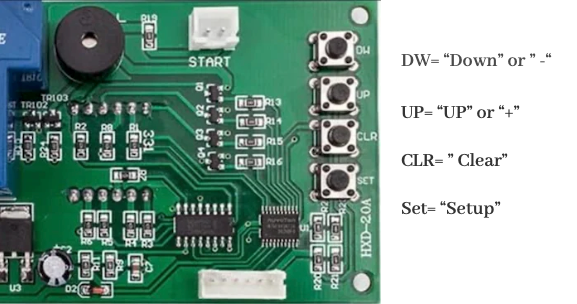
Press “Set” once, the one number will blinking, this is for how many coin insert want to start. ” if you set “2” then you need insert 2 coins to start.
Then press “Set” once again move to next Step. 4 numbers will show up,
first two number blinking is in minutes,
then press “set” second two number blinking is in “Seconds”, exp: “08:00 means 8 minutes 0 second”
Then Press ” CLR” to Finish

▶
✕

This Coin Acceptor Support Quarter and Dollar Coin( $1)
If you want Sampling the coins:
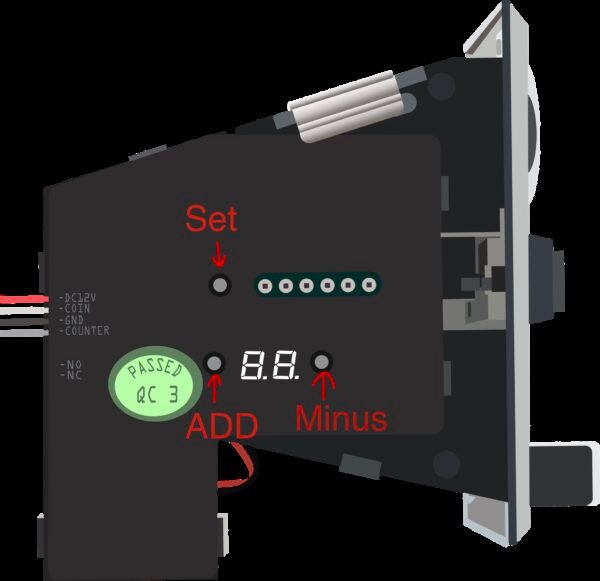
Press “set” twice and Led Screen will show “A1″(1st Coin Quarter) then you insert Quarter 15 times.
Then led screen will show “A2″(2nd Coin Dollar) then insert Dollar 15 times.
DONE

